AI presentation drafter
for boutique consultancies

AI presentation drafter
for boutique consultancies

AI presentation drafter
for boutique consultancies

AI presentation drafter
for boutique consultancies

AI presentation drafter
for boutique consultancies

Get 90%-ready business deliverables with embedded strategic intelligence in minutes.
Export to perfect, fully editable PowerPoint/Google Slides.

Get 90% ready business deliverables with embedded strategic intelligence in minutes. Export to perfect, fully editable PowerPoint/Google Slides.

Get 90% ready business deliverables with embedded strategic intelligence in minutes. Export to perfect, fully editable PowerPoint/Google Slides.

First 3 presentations are free. No credit card required.

First 3 presentations are free. No credit card required.

First 3 presentations are free. No credit card required.

Used by consultant and strategist teams at

Used by consultant and strategist teams at

Strategic intelligence, not just pretty slides

Embedded persuasion frameworks that actually convince audiences. Informed by patterns from 5,000+ professional presentations.

Perfect, fully editbale PowerPoint/Google Slides exports

Built on native PPTX/GSlides specs - no broken layouts, no manual cleanup. What you see is exactly what exports. Fully editable.

How Deckster works

How Deckster works

How Deckster works

Ai powerpoint maker
Ai powerpoint maker
Ai powerpoint maker
Ai powerpoint maker

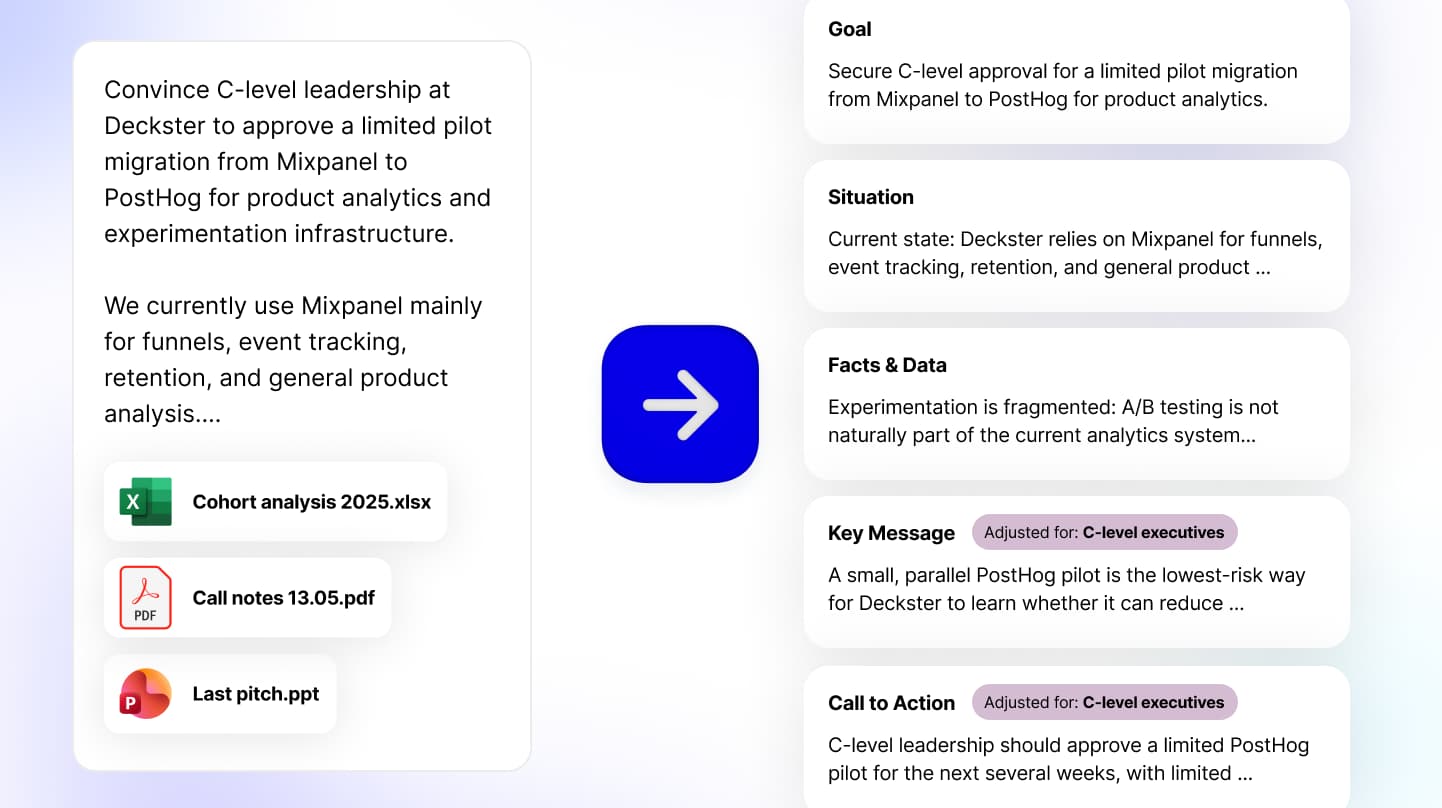
→ Step 1

Share ideas, notes, links, or files

Share ideas, notes, links, or files

Tell Deckster what you're working on - your goal, and any key details. Attach files if you have them. Deckster will analyze your input and will follow up with questions if any critical details are missing.

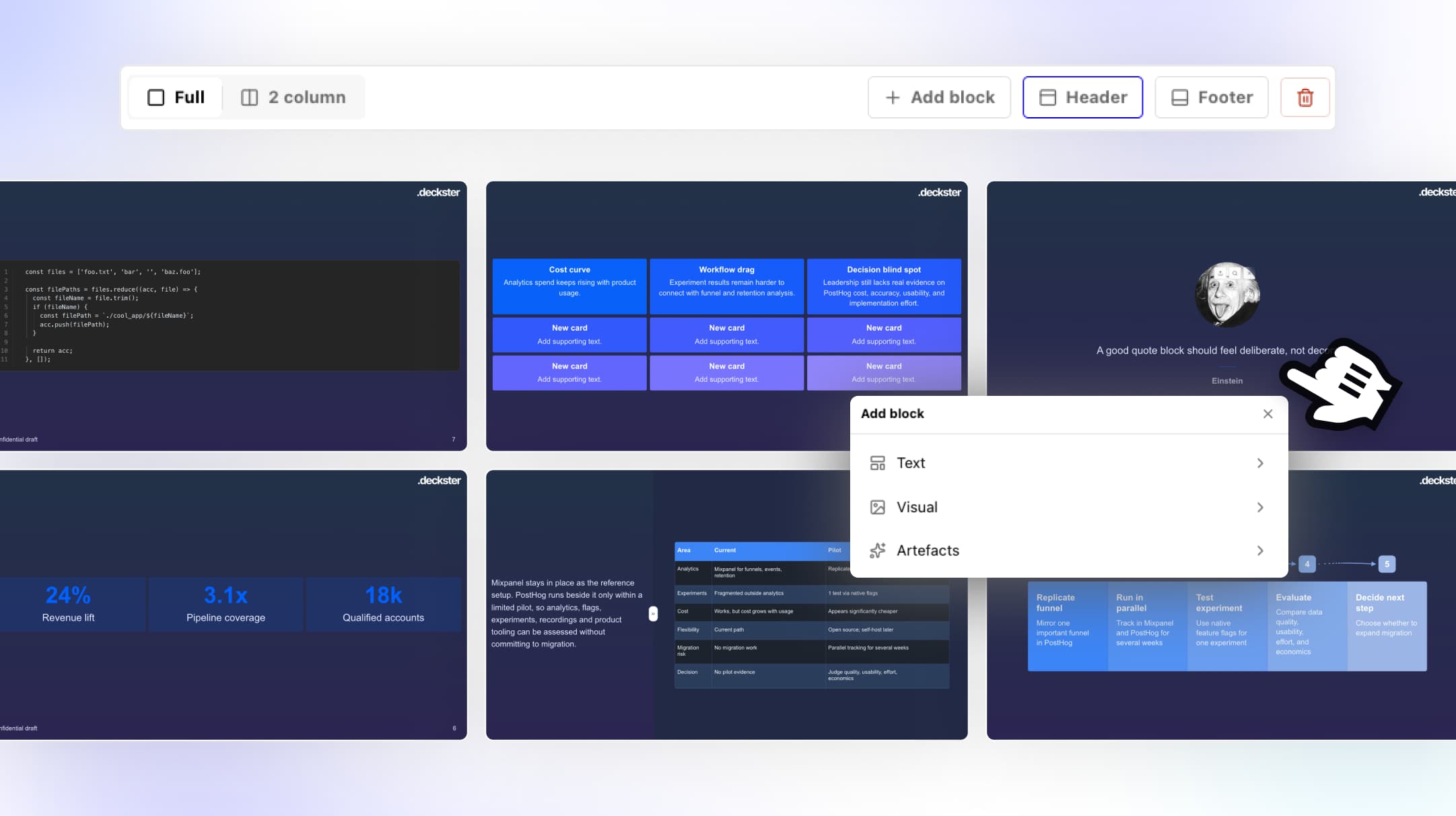
→ Step 2

Get your 90% finished draft

Get your 90% finished draft

Using your input and embedded mental models, business frameworks, and persuasion techniques, Deckster generates structure, narrative flow, and initial content.

With charts auto-generated from your files (XLSX, CSV) or web, designed to strengthen your argument, not just display information.

Ai ppt maker
Ai ppt maker
Ai ppt maker
Ai ppt maker


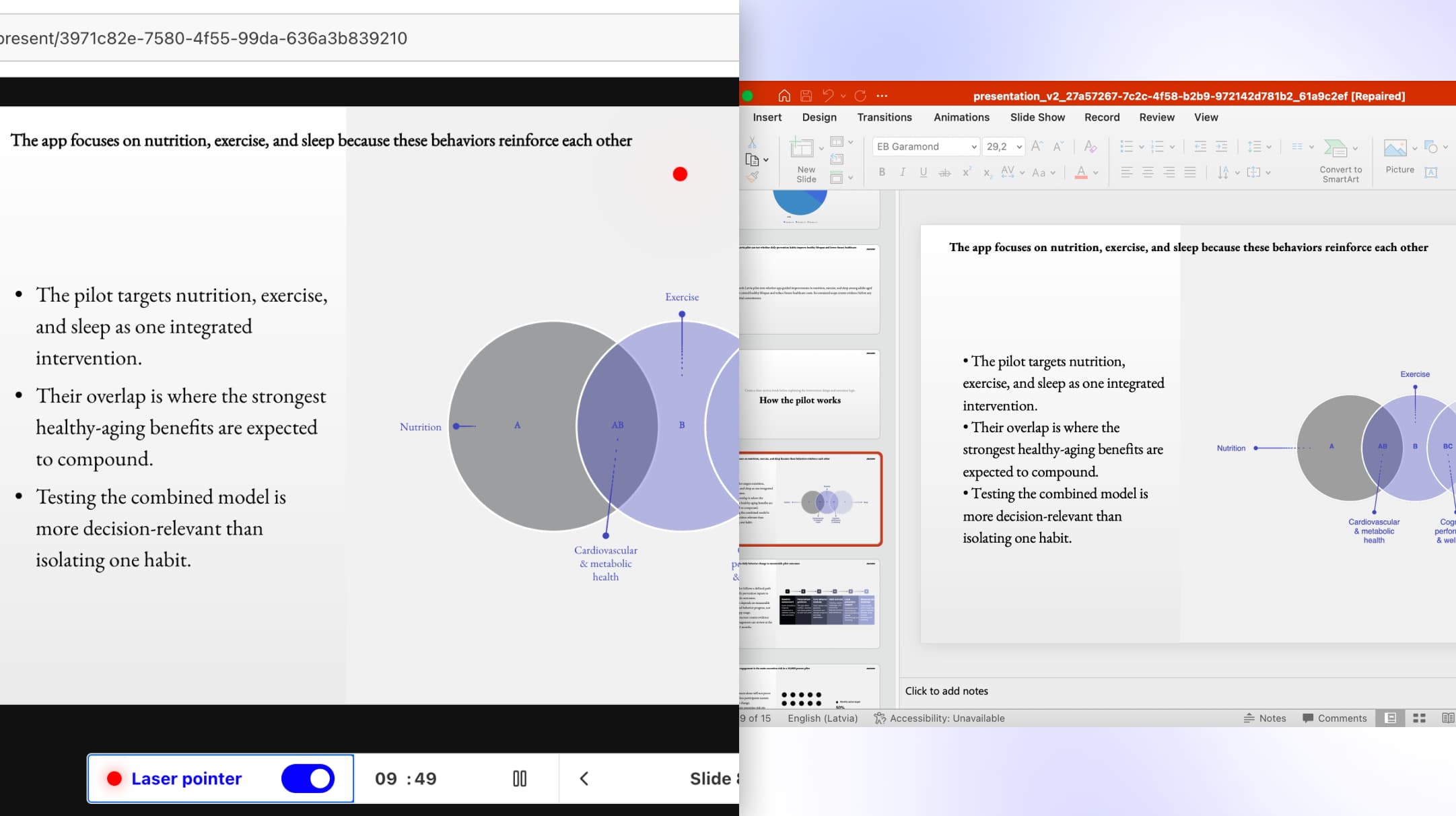
Step 3

Export

Export

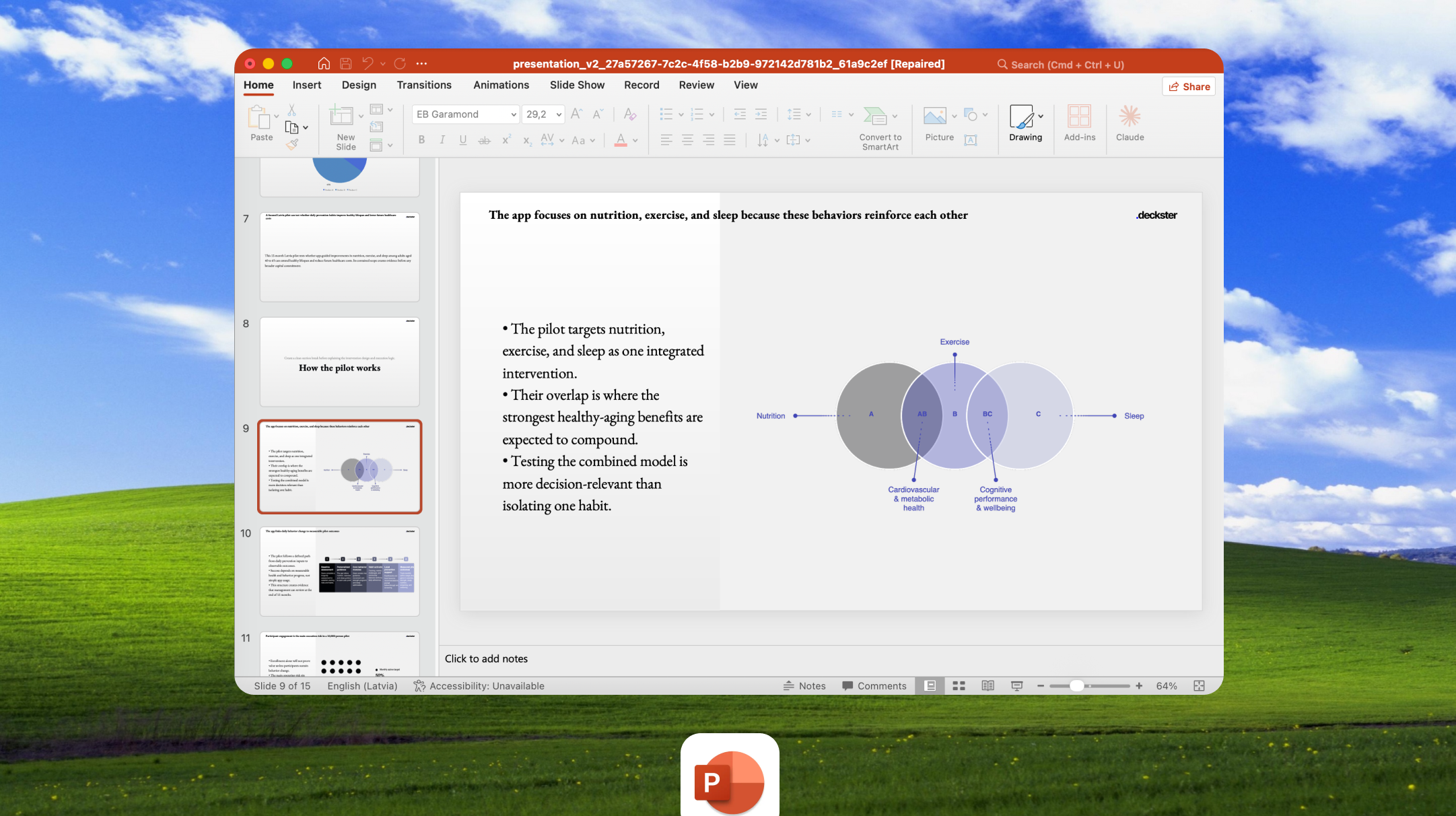
PowerPoint or Google Slides. Your choice. Opens perfectly every time - no corrupted files, no compatibility errors. No broken layouts. No charts that are images. No watermarks. Just a clean, fully editable file you own.

Case studies

Case study

Case study

Ai ppt maker
Ai ppt maker

Independent Consultant | Industrial Equipment & Technical Services – Europe

Before: 5 hours per deck
After: 40 minutes, ready to send.

He runs a specialized technical consultancy serving industrial clients across multiple countries. Each engagement needs custom pitches and training proposals - adapted for different markets, languages, and compliance requirements.


March: sales pitch for consulting services, exported same day. April: training proposal for a logistics company, client signed within a week. June: 18-slide implementation deck, delivered before the quarter close. All from brief to export in under an hour each.


6 client decks in 4 months. Each completely different. No template reuse.

Ai ppt maker
Ai ppt maker

Independent Consultant | Industrial Equipment & Technical Services – Europe

Before: 5 hours per deck
After: 40 minutes, ready to send.

He runs a specialized technical consultancy serving industrial clients across multiple countries. Each engagement needs custom pitches and training proposals - adapted for different markets, languages, and compliance requirements.


March: sales pitch for consulting services, exported same day. April: training proposal for a logistics company, client signed within a week. June: 18-slide implementation deck, delivered before the quarter close. All from brief to export in under an hour each.


6 client decks in 4 months. Each completely different. No template reuse.

Intelligent features

Intelligent features

Intelligent features

Ai ppt maker
Ai ppt maker
Ai ppt maker
Ai ppt maker

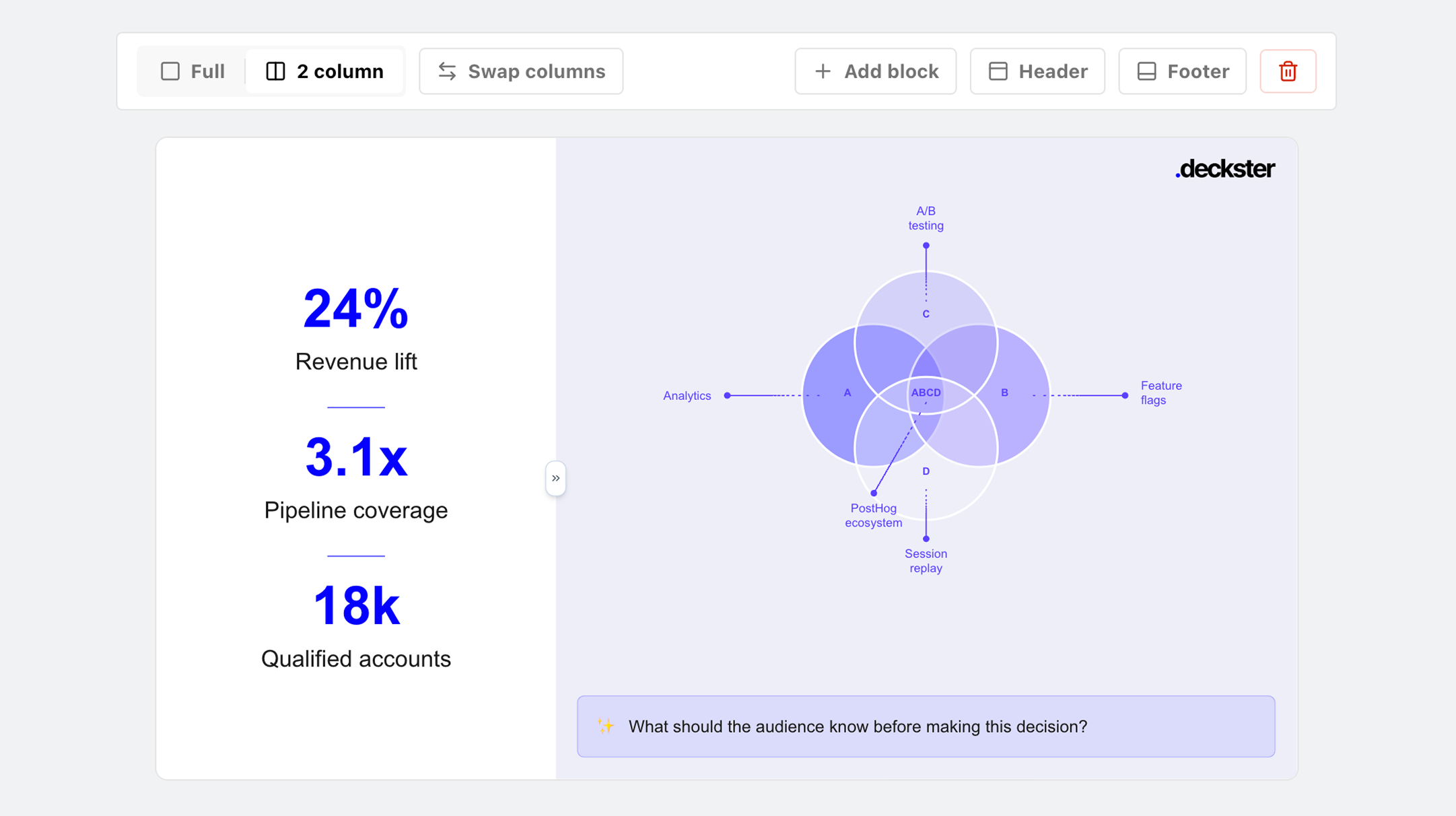
Auto-generated charts

Auto-generated charts

Deckster generates charts from your data files or web sources - contextual, narrative-driven charts that support your argument, not just decorate slides.

Deckster generates charts from your data files or web sources - contextual, narrative-driven charts that support your argument, not just decorate slides.

Ai ppt maker
Ai ppt maker
Ai ppt maker
Ai ppt maker

AI copilot

AI copilot

Iterate structure. Refine individual slides. Transform board updates into investor pitches or 15-slide decks into 8 in minutes.

Iterate structure. Refine individual slides. Transform board updates into investor pitches or 15-slide decks into 8 in minutes.

Ai ppt maker
Ai ppt maker
Ai ppt maker
Ai ppt maker

Full control

Full control

Manual controls: adjust text, swap icons and images, and lock slides from AI changes. Revert to the previous version at any time with version control.

Manual controls: adjust text, swap icons and images, and lock slides from AI changes. Revert to the previous version at any time with version control.

Ai ppt maker
Ai ppt maker
Ai ppt maker
Ai ppt maker

Personalization

Personalization

Create reusable themes. Add your bio and tone preferences to shape how Deckster drafts content for you.

Create reusable themes. Add your bio and tone preferences to shape how Deckster drafts content for you.

Deckster Chrome Extensions

Deckster Chrome Extensions

Deckster Chrome Extensions

Turn scattered context from any workspace into structured presentations in minutes.

Turn scattered context from any workspace into structured presentations in minutes.

Turn scattered context from any workspace into structured presentations in minutes.

Highlight anything from your daily tools (Gmail, Notion, Slack, Confluence, Teams, etc) and turn into a structured presentation, instantly. Export to fully editable PowerPoint or Google Slides.

Highlight anything from your daily tools (Gmail, Notion, Slack, Confluence, Teams, etc) and turn into a structured presentation, instantly. Export to fully editable PowerPoint or Google Slides.

Highlight anything from your daily tools (Gmail, Notion, Slack, Confluence, Teams, etc) → and turn into a structured presentation, instantly. Export to fully editable PowerPoint or Google Slides.

Join the waitlist →

Ai powerpoint maker
Ai powerpoint maker
Ai powerpoint maker
Ai powerpoint maker

Fair pricing

Fair pricing

Fair pricing

Unlimited generation, unlimited iterations, unlimited intelligence.

Unlimited generation, unlimited iterations, unlimited intelligence.

Unlimited generation, unlimited iterations, unlimited intelligence.

Monthly

Yearly

Pro

Create as many presentations as you need - no credits limits, no surprise bills.

$20

/month

First 3 presentations are free. No credit card required.

All features

Unlimited presentation generation

Unlimited slides count

Unlimited AI assistance

Native PPTX, Google Slides export (everything editable, incl. charts) without watermarks

Monthly

Yearly

Pro

Create as many presentations as you need - no credits limits, no surprise bills.

$20

/month

First 3 presentations are free. No credit card required.

All features

Unlimited presentation generation

Unlimited slides count

Unlimited AI assistance

Native PPTX, Google Slides export (everything editable, incl. charts) without watermarks

Monthly

Yearly

Pro

Create as many presentations as you need - no credits limits, no surprise bills.

$20

/month

First 3 presentations are free. No credit card required.

All features

Unlimited presentation generation

Unlimited slides count

Unlimited AI assistance

Native PPTX, Google Slides export (everything editable, incl. charts) without watermarks

Monthly

Yearly

Pro

Create as many presentations as you need - no credits limits, no surprise bills.

$20

/month

First 3 presentations are free. No credit card required.

All features

Unlimited presentation generation

Unlimited slides count

Unlimited AI assistance

Native PPTX, Google Slides export (everything editable, incl. charts) without watermarks

Trusted by the smartest, most productive knowledge workers. From individuals to global giants.

Trusted by the smartest, most productive knowledge workers. From individuals to global giants.

Made with Deckster

Made with Deckster

Made with Deckster

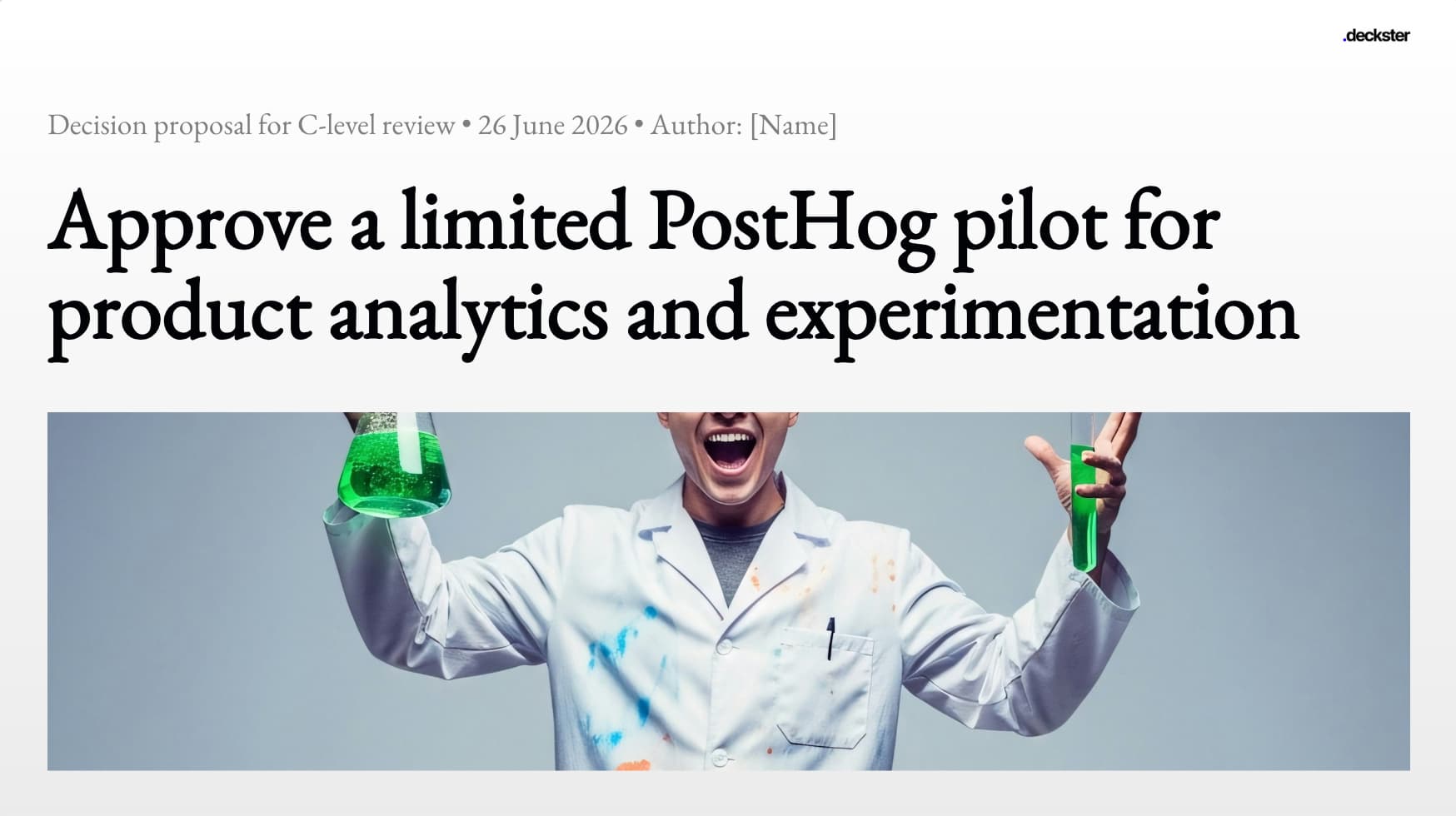
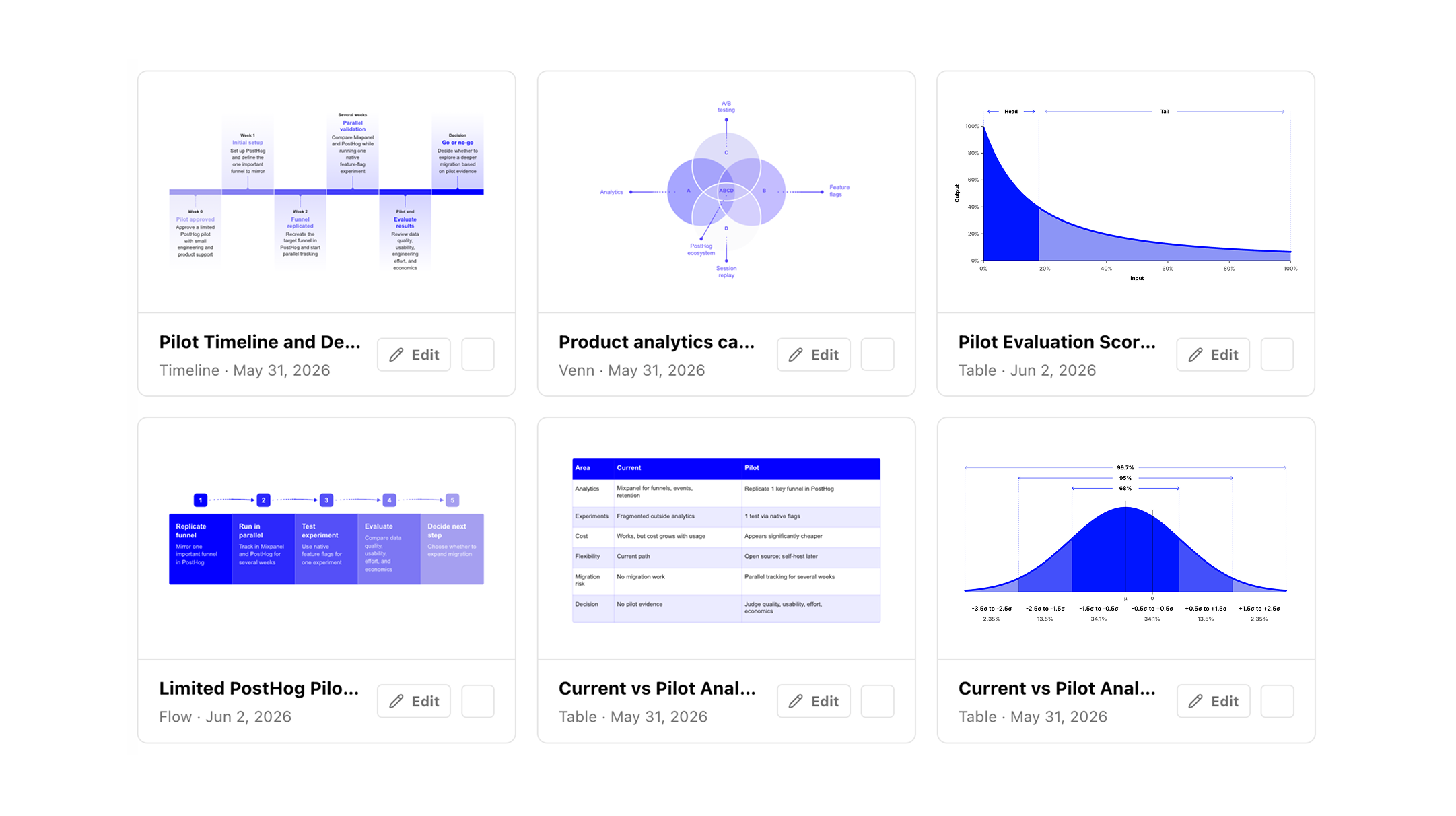
Here are few examples of Deckster made presentations. Real outputs.

Here are few examples of Deckster made presentations. Real outputs.

Here are few examples of Deckster made presentations. Real outputs.

Ai powerpoint maker
Ai powerpoint maker
Ai powerpoint maker
Ai powerpoint maker
Ai powerpoint maker
Ai powerpoint maker
Ai powerpoint maker
Ai powerpoint maker
Ai powerpoint maker
Ai powerpoint maker
Ai powerpoint maker
Ai powerpoint maker

FAQ

FAQ

FAQ

Have more questions or just wanna talk? Email us at jev@deckster.pro.

Have more questions or just wanna talk? Email us at jev@deckster.pro.

Have more questions or just wanna talk? Email us at jev@deckster.pro.

What is Deckster?

Deckster is your presentation copilot for building persuasive decks fast. It turns rough ideas into structured, professional drafts in minutes using embedded business logic and persuasion frameworks. Think of it as having a consultant's brain built into your workflow: you bring the thinking, Deckster handles the structure, drafting, and formatting.

How do I use Deckster?

Just tell Deckster what you're working on - paste notes, upload documents, or describe your idea. Deckster analyzes your input, detects the audience and presentation type automatically, and asks clarifying questions to fill in any blanks. Within 5-10 minutes, you get a structured draft with auto-generated charts and analysis. Then refine: regenerate slides, adjust structure, swap visuals, edit content. Export to PowerPoint or Google Slides when you're ready for final touches.

What makes Deckster different from other AI presentation tools?

Deckster is the only tool that works with native PPTX/Google Slides specifications, resulting in perfect, consistent, and fully editable exports (yes, even charts)! Other than that, most tools let you edit every component, creating endless design choices that slow you down. Deckster uses a design system approach - layouts are locked, but you can edit what actually gives your presentation character: text, images, icons, charts. This creates speed through constraint, embedded persuasion logic in every component, and 10x faster iteration. Other tools optimize for visual flexibility. We optimize for clear thinking and a real business environment, where your presentation opens perfectly every time - no corrupted files, no compatibility errors. No broken layouts. No charts that are images. No watermarks. Just a clean, fully editable file you own.

Can I try it for free?

Yes. Create presentations with full access to the AI engine, slide library, chart generation, analysis, and export. You have 3 free presentations to try Deckster out, no constraints, no predatory billing, just you to decide.

Is Deckster compatible with PowerPoint and Google Slides?

Deckster not only exports to PowerPoint and Google Slides — it exports perfect, fully editable native files. We use a proprietary engine that works directly with PPTX and Google Slides specifications, producing files that look and behave exactly as if they were created inside PowerPoint or Google Slides. And yes — the charts aren’t images. They’re real, fully editable charts.

What if I don't like the slides Deckster generates?

While Deckster is great for drafting “one-shot” presentations, it’s built for iteration. You can refine the structure, adjust the format, change slide count or style, emphasize or remove topics, and continuously improve the narrative. Regenerate individual slides with specific instructions (“make this more data-driven” or “focus on ROI”), restructure the entire deck (“add an implementation timeline”), or swap layouts in seconds. Deckster is designed for iteration — the first draft is the starting point, not the endpoint.

Does Deckster work for technical presentations with data and charts?

Yes. Upload data files (CSV, Excel) or provide data in your prompt. Deckster auto-generates charts and performs analysis on the data. Charts are fully editable - adjust data, labels, chart types, styling. For complex technical diagrams or custom illustrations, you'll create those separately, but Deckster handles all standard business charts and data visualization.

What is Deckster?

Deckster is your presentation copilot for building persuasive decks fast. It turns rough ideas into structured, professional drafts in minutes using embedded business logic and persuasion frameworks. Think of it as having a consultant's brain built into your workflow: you bring the thinking, Deckster handles the structure, drafting, and formatting.

How do I use Deckster?

Just tell Deckster what you're working on - paste notes, upload documents, or describe your idea. Deckster analyzes your input, detects the audience and presentation type automatically, and asks clarifying questions to fill in any blanks. Within 5-10 minutes, you get a structured draft with auto-generated charts and analysis. Then refine: regenerate slides, adjust structure, swap visuals, edit content. Export to PowerPoint or Google Slides when you're ready for final touches.

What makes Deckster different from other AI presentation tools?

Deckster is the only tool that works with native PPTX/Google Slides specifications, resulting in perfect, consistent, and fully editable exports (yes, even charts)! Other than that, most tools let you edit every component, creating endless design choices that slow you down. Deckster uses a design system approach - layouts are locked, but you can edit what actually gives your presentation character: text, images, icons, charts. This creates speed through constraint, embedded persuasion logic in every component, and 10x faster iteration. Other tools optimize for visual flexibility. We optimize for clear thinking and a real business environment, where your presentation opens perfectly every time - no corrupted files, no compatibility errors. No broken layouts. No charts that are images. No watermarks. Just a clean, fully editable file you own.

Can I try it for free?

Yes. Create presentations with full access to the AI engine, slide library, chart generation, analysis, and export. You have 3 free presentations to try Deckster out, no constraints, no predatory billing, just you to decide.

Is Deckster compatible with PowerPoint and Google Slides?

Deckster not only exports to PowerPoint and Google Slides — it exports perfect, fully editable native files. We use a proprietary engine that works directly with PPTX and Google Slides specifications, producing files that look and behave exactly as if they were created inside PowerPoint or Google Slides. And yes — the charts aren’t images. They’re real, fully editable charts.

What if I don't like the slides Deckster generates?

While Deckster is great for drafting “one-shot” presentations, it’s built for iteration. You can refine the structure, adjust the format, change slide count or style, emphasize or remove topics, and continuously improve the narrative. Regenerate individual slides with specific instructions (“make this more data-driven” or “focus on ROI”), restructure the entire deck (“add an implementation timeline”), or swap layouts in seconds. Deckster is designed for iteration — the first draft is the starting point, not the endpoint.

Does Deckster work for technical presentations with data and charts?

Yes. Upload data files (CSV, Excel) or provide data in your prompt. Deckster auto-generates charts and performs analysis on the data. Charts are fully editable - adjust data, labels, chart types, styling. For complex technical diagrams or custom illustrations, you'll create those separately, but Deckster handles all standard business charts and data visualization.

What is Deckster?

Deckster is your presentation copilot for building persuasive decks fast. It turns rough ideas into structured, professional drafts in minutes using embedded business logic and persuasion frameworks. Think of it as having a consultant's brain built into your workflow: you bring the thinking, Deckster handles the structure, drafting, and formatting.

How do I use Deckster?

Just tell Deckster what you're working on - paste notes, upload documents, or describe your idea. Deckster analyzes your input, detects the audience and presentation type automatically, and asks clarifying questions to fill in any blanks. Within 5-10 minutes, you get a structured draft with auto-generated charts and analysis. Then refine: regenerate slides, adjust structure, swap visuals, edit content. Export to PowerPoint or Google Slides when you're ready for final touches.

What makes Deckster different from other AI presentation tools?

Deckster is the only tool that works with native PPTX/Google Slides specifications, resulting in perfect, consistent, and fully editable exports (yes, even charts)! Other than that, most tools let you edit every component, creating endless design choices that slow you down. Deckster uses a design system approach - layouts are locked, but you can edit what actually gives your presentation character: text, images, icons, charts. This creates speed through constraint, embedded persuasion logic in every component, and 10x faster iteration. Other tools optimize for visual flexibility. We optimize for clear thinking and a real business environment, where your presentation opens perfectly every time - no corrupted files, no compatibility errors. No broken layouts. No charts that are images. No watermarks. Just a clean, fully editable file you own.

Can I try it for free?

Yes. Create presentations with full access to the AI engine, slide library, chart generation, analysis, and export. You have 3 free presentations to try Deckster out, no constraints, no predatory billing, just you to decide.

Is Deckster compatible with PowerPoint and Google Slides?

Deckster not only exports to PowerPoint and Google Slides — it exports perfect, fully editable native files. We use a proprietary engine that works directly with PPTX and Google Slides specifications, producing files that look and behave exactly as if they were created inside PowerPoint or Google Slides. And yes — the charts aren’t images. They’re real, fully editable charts.

What if I don't like the slides Deckster generates?

While Deckster is great for drafting “one-shot” presentations, it’s built for iteration. You can refine the structure, adjust the format, change slide count or style, emphasize or remove topics, and continuously improve the narrative. Regenerate individual slides with specific instructions (“make this more data-driven” or “focus on ROI”), restructure the entire deck (“add an implementation timeline”), or swap layouts in seconds. Deckster is designed for iteration — the first draft is the starting point, not the endpoint.

Does Deckster work for technical presentations with data and charts?

Yes. Upload data files (CSV, Excel) or provide data in your prompt. Deckster auto-generates charts and performs analysis on the data. Charts are fully editable - adjust data, labels, chart types, styling. For complex technical diagrams or custom illustrations, you'll create those separately, but Deckster handles all standard business charts and data visualization.

What is Deckster?

Deckster is your presentation copilot for building persuasive decks fast. It turns rough ideas into structured, professional drafts in minutes using embedded business logic and persuasion frameworks. Think of it as having a consultant's brain built into your workflow: you bring the thinking, Deckster handles the structure, drafting, and formatting.

How do I use Deckster?

Just tell Deckster what you're working on - paste notes, upload documents, or describe your idea. Deckster analyzes your input, detects the audience and presentation type automatically, and asks clarifying questions to fill in any blanks. Within 5-10 minutes, you get a structured draft with auto-generated charts and analysis. Then refine: regenerate slides, adjust structure, swap visuals, edit content. Export to PowerPoint or Google Slides when you're ready for final touches.

What makes Deckster different from other AI presentation tools?

Deckster is the only tool that works with native PPTX/Google Slides specifications, resulting in perfect, consistent, and fully editable exports (yes, even charts)! Other than that, most tools let you edit every component, creating endless design choices that slow you down. Deckster uses a design system approach - layouts are locked, but you can edit what actually gives your presentation character: text, images, icons, charts. This creates speed through constraint, embedded persuasion logic in every component, and 10x faster iteration. Other tools optimize for visual flexibility. We optimize for clear thinking and a real business environment, where your presentation opens perfectly every time - no corrupted files, no compatibility errors. No broken layouts. No charts that are images. No watermarks. Just a clean, fully editable file you own.

Can I try it for free?

Yes. Create presentations with full access to the AI engine, slide library, chart generation, analysis, and export. You have 3 free presentations to try Deckster out, no constraints, no predatory billing, just you to decide.

Is Deckster compatible with PowerPoint and Google Slides?

Deckster not only exports to PowerPoint and Google Slides — it exports perfect, fully editable native files. We use a proprietary engine that works directly with PPTX and Google Slides specifications, producing files that look and behave exactly as if they were created inside PowerPoint or Google Slides. And yes — the charts aren’t images. They’re real, fully editable charts.

What if I don't like the slides Deckster generates?

While Deckster is great for drafting “one-shot” presentations, it’s built for iteration. You can refine the structure, adjust the format, change slide count or style, emphasize or remove topics, and continuously improve the narrative. Regenerate individual slides with specific instructions (“make this more data-driven” or “focus on ROI”), restructure the entire deck (“add an implementation timeline”), or swap layouts in seconds. Deckster is designed for iteration — the first draft is the starting point, not the endpoint.

Does Deckster work for technical presentations with data and charts?

Yes. Upload data files (CSV, Excel) or provide data in your prompt. Deckster auto-generates charts and performs analysis on the data. Charts are fully editable - adjust data, labels, chart types, styling. For complex technical diagrams or custom illustrations, you'll create those separately, but Deckster handles all standard business charts and data visualization.

Blog

Blog

Blog

Jan 13, 2026

Jan 13, 2026

Jan 13, 2026

Jan 13, 2026

Jan 13, 2026

What's new | Jan 2026

What's new | Jan 2026

Theme builder, Image editor 2.0, Auto-formatting & Teams plan

Theme builder, Image editor 2.0, Auto-formatting & Teams plan

Theme builder, Image editor 2.0, Auto-formatting & Teams plan

Theme builder, Image editor 2.0, Auto-formatting & Teams plan

Theme builder, Image editor 2.0, Auto-formatting & Teams plan

Aug 4, 2025

Aug 4, 2025

Aug 4, 2025

Aug 4, 2025

Aug 4, 2025

How consultants use Deckster AI to save up to 10 hours per presentation

How consultants use Deckster AI to save up to 10 hours per presentation

The hard part of consulting isn’t slides. It’s thinking. That’s why professionals use Deckster.

The hard part of consulting isn’t slides. It’s thinking. That’s why professionals use Deckster.

The hard part of consulting isn’t slides. It’s thinking. That’s why professionals use Deckster.

The hard part of consulting isn’t slides. It’s thinking. That’s why professionals use Deckster.

The hard part of consulting isn’t slides. It’s thinking. That’s why professionals use Deckster.

Jul 16, 2025

Jul 16, 2025

Jul 16, 2025

Jul 16, 2025

Jul 16, 2025

What's new: Auto generated charts, personalisation and more

What's new: Auto generated charts, personalisation and more

A big, fat new release of 7 amazing features moving us towards Deckster 5.0

A big, fat new release of 7 amazing features moving us towards Deckster 5.0

A big, fat new release of 7 amazing features moving us towards Deckster 5.0

A big, fat new release of 7 amazing features moving us towards Deckster 5.0

A big, fat new release of 7 amazing features moving us towards Deckster 5.0

© 2026 - All rights reserved

© 2026 - All rights reserved

© 2026 - All rights reserved